
Hướng dẫn merchant
Hướng dẫn từng bước sử dụng cổng merchant EPaySe.
Accepting Payments for AI Companion and AI Image Apps: What Acquirers Ask For
Some acquirers consider AI companion and AI image apps for card payments, case by case, when lawful, consent-based and age-verified. Here is what they ask for.
Payments for FX and CFD Brokers: A Provider Checklist
What an FX or CFD broker should confirm with a payment provider: licensing fit, country coverage, deposit routing, cash-outs, settlement and disputes.
Payment Gateway for iGaming: What to Evaluate Before You Integrate
A payment gateway for iGaming is a routing and risk layer for deposits and player cash-outs. Here is what to evaluate before you integrate.
How to Create a Payment Link
How to create, share, and cancel a payment link from your EPaySe merchant dashboard.
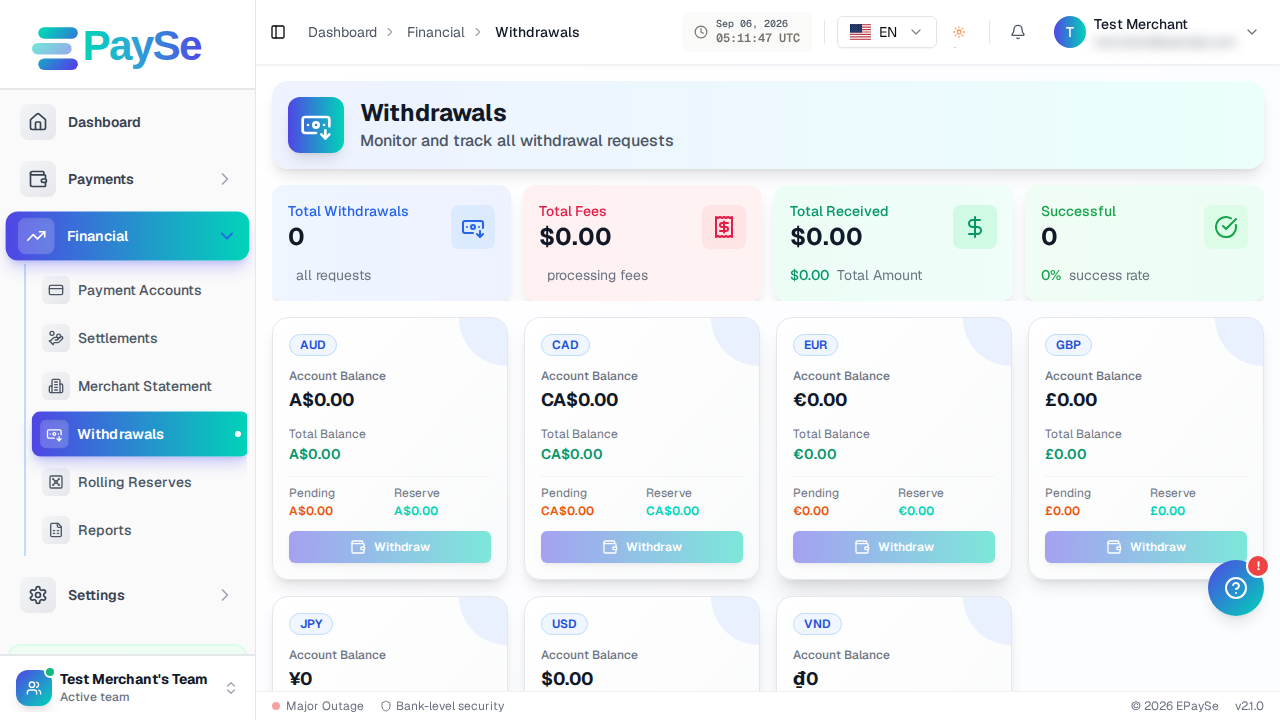
How to Withdraw Funds
How to request a withdrawal from your EPaySe merchant balance, from adding a payout account to tracking the request's status.
How to Manage Notifications
How to view your notifications and set your notification preferences on your EPaySe merchant dashboard.
How to Set Up Two-Factor Authentication
How to set up authenticator-app 2FA or a passkey on your EPaySe account.
How to Run Financial Reports
How to run and export Trial Balance, Cash Flow, Profit & Loss, and Summary reports from your EPaySe merchant dashboard.
How to Use the Action Required Queue
How to review and act on items in your EPaySe Action Required queue.
How to Whitelist a Website
How to submit a website for review so it can accept payments through your EPaySe account.
How to View Your Customers
How to view and export your customer directory from your EPaySe merchant dashboard.
How to Create an Invoice
How to create, send, and cancel an invoice from your EPaySe merchant dashboard.