
How to Withdraw Funds
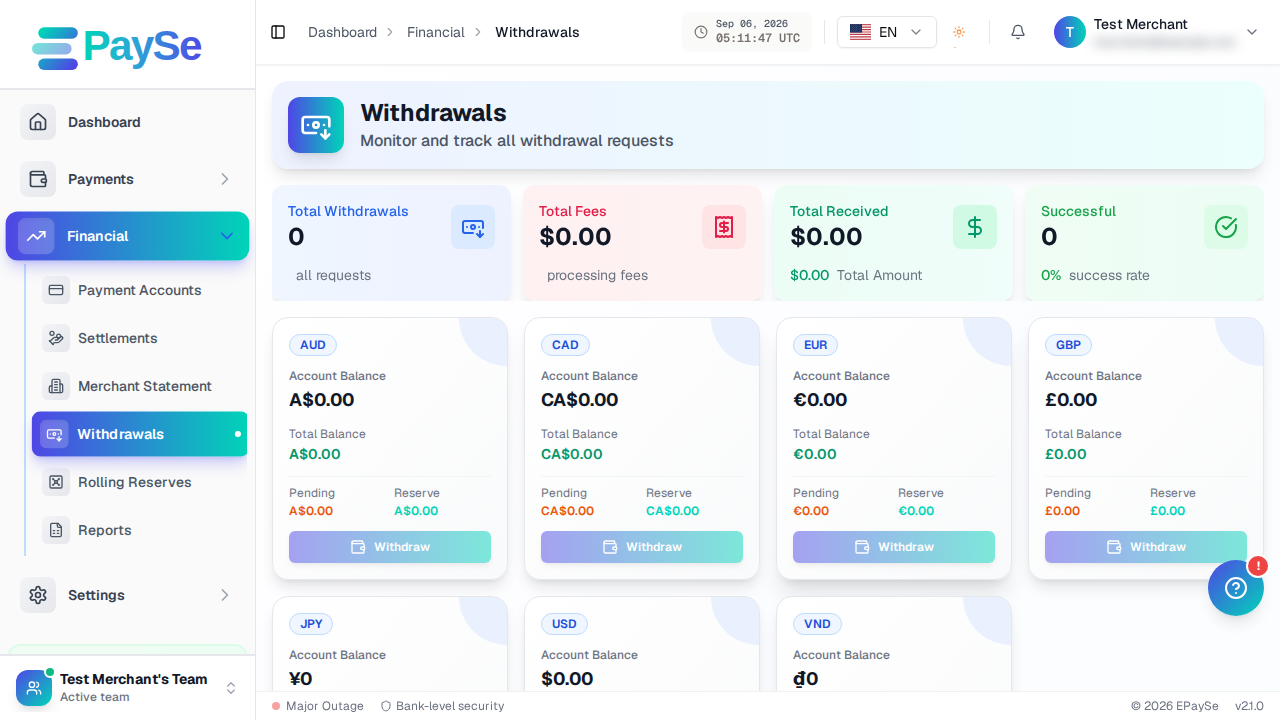
Before you start
You'll need a payout account on file — a bank account or a crypto wallet — before you can request a withdrawal. Add one from Financial → Payment Accounts if you haven't already.
Steps
-
Go to Financial → Withdrawals and start a new withdrawal request.

-
Choose the currency you want to withdraw from.
-
Select the payment account that should receive the funds — a bank account or a crypto wallet.
-
Enter the amount. The form shows the fee and the total that will be deducted from your balance before you submit.
-
Add an optional remark if you want to note anything about the request.
-
Review and submit.
After you submit
Your withdrawal starts as Pending, then moves to Processing once it's picked up, and finally to Payment Sent once the funds are on their way. If a request can't go through, it's marked Rejected or Cancelled, and you can see the reason on the withdrawal's own page.
If you can't submit a withdrawal
- You may not have a payment account on file yet — add one from Financial → Payment Accounts.
- The amount you entered may be outside the allowed range for that currency — the form shows the current minimum and maximum inline.
- Your available balance may be lower than the amount plus fees.
Related Articles
Accepting Payments for AI Companion and AI Image Apps: What Acquirers Ask For
Some acquirers consider AI companion and AI image apps for card payments, case by case, when lawful, consent-based and age-verified. Here is what they ask for.
Payments for FX and CFD Brokers: A Provider Checklist
What an FX or CFD broker should confirm with a payment provider: licensing fit, country coverage, deposit routing, cash-outs, settlement and disputes.
Payment Gateway for iGaming: What to Evaluate Before You Integrate
A payment gateway for iGaming is a routing and risk layer for deposits and player cash-outs. Here is what to evaluate before you integrate.
Why Your First Payout Can Be Smaller Than Your Sales
If your first payout is smaller than your sales, a reserve may be the reason. Learn how a held share of sales works, when it is released, and what to ask before you sign.