
How to Complete KYB Verification
Before you start
KYB (Know Your Business) verification confirms who you are and what your business does before you can process payments. Have your identity documents and basic business information ready — the exact documents you'll be asked for depend on your business type and category, which you'll select in the first step.
Steps
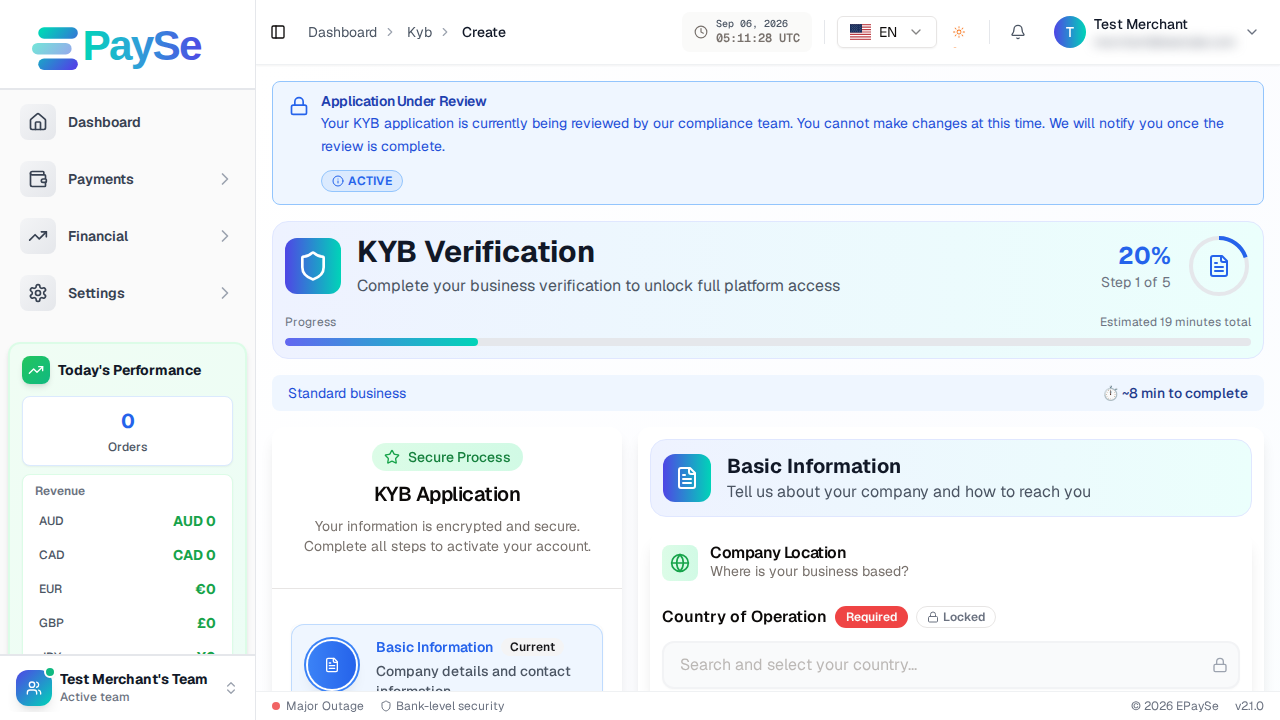
- Basic Information — enter your business's core details, then select your entity type (Individual, Sole Proprietorship, Partnership, Company, or Other) and your business category. These two choices determine which documents you'll be asked to upload later, so pick the ones that actually match your business.
- Who's Involved — enter details for your business's representative and, depending on your entity type, any additional owners. An Individual or Sole Proprietorship submission keeps this simple: you're both the representative and the sole owner. A Company or Partnership submission asks for each owner's details and ownership share.
- Your Business — provide additional business details relevant to your entity type and category.
- Documents — upload the identity and business documents requested. The exact list is tailored to what you selected in Step 1.
- Review & Submit — review everything you've entered, then click Submit KYB Application.
Saving your progress
You don't have to finish in one sitting. If you need to stop partway through, click "Email me a resume link" — you'll receive an email with a link that brings you straight back to where you left off, with your progress saved.
After you submit
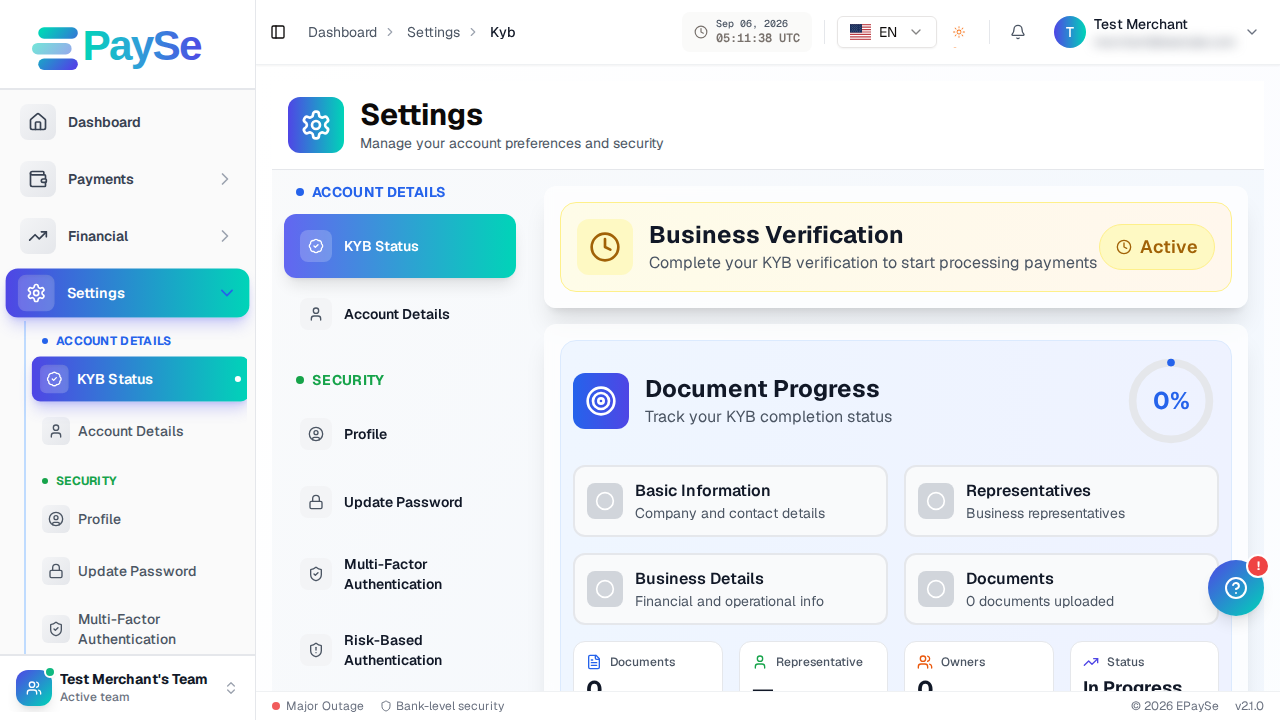
Track your submission's status from Settings → KYB Status. You'll see which step your application is at and can view or edit the details you submitted.
If you get stuck
- Make sure every required field on the current step is filled in before continuing — the form will point out what's missing.
- If a document upload fails, check the file type and size are supported.
- If you're not sure which entity type or category applies to your business, contact support before submitting — changing it later means redoing later steps.
Related Articles
Accepting Payments for AI Companion and AI Image Apps: What Acquirers Ask For
Some acquirers consider AI companion and AI image apps for card payments, case by case, when lawful, consent-based and age-verified. Here is what they ask for.
Payments for FX and CFD Brokers: A Provider Checklist
What an FX or CFD broker should confirm with a payment provider: licensing fit, country coverage, deposit routing, cash-outs, settlement and disputes.
Payment Gateway for iGaming: What to Evaluate Before You Integrate
A payment gateway for iGaming is a routing and risk layer for deposits and player cash-outs. Here is what to evaluate before you integrate.
How to Create a Payment Link
How to create, share, and cancel a payment link from your EPaySe merchant dashboard.